Excel is one of the most widely used business tools in the world, yet many users only scratch the surface of what it can do.
Learning a few simple keyboard shortcuts can help you work faster, reduce repetitive tasks, and improve productivity throughout the working day.
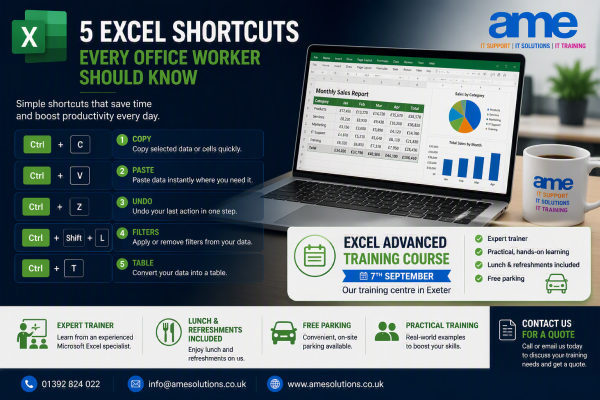
Here are five Excel shortcuts every office worker should know.
1. Ctrl + C – Copy
Copy selected data quickly without using the ribbon.
2. Ctrl + V – Paste
Paste copied information instantly where you need it.
3. Ctrl + Z – Undo
Made a mistake? Ctrl + Z quickly reverses your last action.
4. Ctrl + Shift + L – Apply Filters
Need to sort and filter large amounts of data?
This shortcut instantly applies or removes filters from your data set.
5. Ctrl + T – Convert Data into a Table
One of Excel’s most useful shortcuts.
Tables provide:
- Automatic filtering
- Easier formatting
- Better formula management
- Improved reporting
Take Your Excel Skills Further
While shortcuts save time, Excel has many advanced features that can transform the way you work, including:
✅ Pivot Tables
✅ Advanced Formulas
✅ Data Analysis
✅ Conditional Formatting
✅ Lookups and Functions
✅ Dashboard Reporting
Ready to Improve Your Excel Skills?
While shortcuts can save valuable time, there’s much more to Excel than most users realise.
Our Excel Advanced Training Course on 7th September is ideal for anyone looking to improve efficiency, reporting and data analysis skills.
The course is delivered at our dedicated training centre in Exeter and includes:
✅ Free parking
✅ Lunch and refreshments
✅ Experienced trainer
✅ Hands-on exercises
✅ Small group learning environment
Whether you’re creating reports, analysing data or managing complex spreadsheets, our training can help you get more from Excel.
Contact us today for a quote or to discuss your requirements.
📞 01392 824022
📧 info@amesolutions.co.uk
🌐 www.amesolutions.co.uk