Discover how AME deploys MFA across remote access, Microsoft 365 and key business applications to reduce security risk.
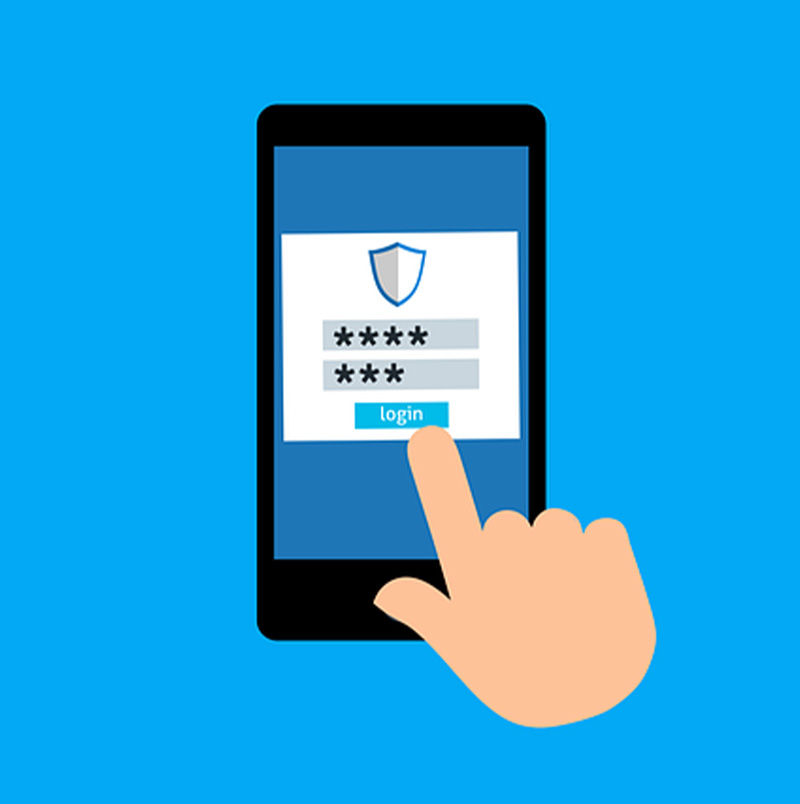
Multi‑Factor Authentication (MFA)
Protect user accounts and reduce the risk of unauthorised access with strong login security
User accounts are one of the most common entry points for cyber attacks. Stolen passwords, phishing emails and credential reuse allow attackers to access email, cloud services and business systems with alarming ease. Once an account is compromised, attackers can move quickly to steal data, disrupt operations or launch further attacks.
Multi‑Factor Authentication (MFA) adds an extra layer of protection to user logins by requiring more than just a password. At AME Solutions, we help businesses implement MFA to significantly reduce the risk of account compromise while keeping access simple and secure for users.
Benefits of Multi‑Factor Authentication
Stronger account security with minimal disruption
Multi‑Factor Authentication provides a simple but highly effective way to protect business accounts against unauthorised access. By adding an extra verification step beyond passwords, MFA significantly reduces the risk of account compromise caused by phishing, stolen credentials and weak password practices. The benefits extend beyond security alone, helping businesses meet compliance requirements, protect cloud services and improve confidence in how user access is controlled.
Reduce the Risk of Account Takeover
MFA prevents attackers from accessing accounts even if passwords are stolen or guessed.
Protect Email, Cloud Services and Business Systems
Secures access to Microsoft 365, cloud applications, remote access and internal systems.
Support Cyber Essentials and Compliance Requirements
MFA is a key requirement for Cyber Essentials and increasingly expected by insurers and customers.
Improve Security Without Impacting Productivity
Modern MFA solutions are quick and easy to use, adding only seconds to the login process.

How AME Delivers Data Encryption Services
Practical, business‑friendly Multi‑Factor Authentication (MFA)implementation
AME helps businesses deploy Multi‑Factor Authentication (MFA) in a practical, user‑friendly way that strengthens security without disrupting day‑to‑day work. We take the time to understand how your users access systems, email and cloud services, then apply MFA where it delivers the greatest protection. Our approach focuses on reducing account compromise risk, supporting Cyber Essentials requirements and ensuring users understand how MFA works, so adoption is smooth and effective across the business.
01
Review of Users, Systems and Access Requirements
We assess where MFA is needed and how it should be applied across your environment.
MFA Configuration and Policy Design
Multi‑Factor Authentication is implemented by our team to balance security, usability and business needs.
02
03
User Onboarding and Guidance
Our knowledgeable team will help users understand Multi‑Factor Authentication to minimise confusion and support requests.
Ongoing Support and Optimisation
Support is available from our qualified engineers as your business, systems and risks evolve.
04
Multi‑Factor Authentication (MFA) Solutions from AME
Secure access without unnecessary complexity
1
Multi‑Factor Authentication (MFA) for Email, Cloud Applications and Remote Access
2
User‑Friendly Authentication Using Mobile Apps or Security Keys
3
Conditional Access Policies to Reduce Login Risk
Ready to Secure Your User Accounts With Multi‑Factor Authentication (MFA)? Reduce account risk and strengthen login security with AME.

Why Businesses Choose AME for MFA Implementation
Practical security improvements without unnecessary complexity
Businesses choose AME Solutions because we implement MFA in a way that genuinely improves security without frustrating users. We understand the balance required between protection and productivity and ensure MFA is deployed sensibly across the right systems.
Security controls tailored to real users, systems and working patterns
Multi‑Factor Authentication Designed Around How Your Business Actually Works
AME doesn’t apply a one‑size‑fits‑all approach to Multi‑Factor Authentication. We take the time to understand how your team accesses email, cloud services and business systems, then design MFA policies that strengthen security without disrupting daily work or creating unnecessary login friction. This ensures MFA improves protection while remaining practical for staff.
Helping staff adopt Multi‑Factor Authentication confidently and without resistance
Clear Guidance and User‑Focused Implementation
User resistance is one of the most common challenges when rolling out MFA. AME focuses on clear communication and sensible rollout, helping users understand why MFA is needed and how to use it day‑to‑day. This reduces confusion, limits support requests and ensures MFA is embraced rather than bypassed.
Supporting certification, compliance and insurer expectations
Multi‑Factor Authentication Aligned With Cyber Essentials and Security Best Practice
Our MFA implementations are designed to support Cyber Essentials requirements and align with recognised security best practice. This helps businesses reduce account compromise risk while also strengthening their position for certification, audits and cyber insurance discussions.
Keeping Multi‑Factor Authentication effective as systems, users and threats change
Ongoing Support as Your Business and Risks Evolve
Security requirements don’t stand still. As your business grows, systems change or new risks emerge, our team of qualified engineers will provide ongoing guidance and support to help refine Multi‑Factor Authentication policies over time. This ensures your Multi‑Factor Authentication deployment remains effective, relevant and aligned with how your organisation operates.
99.9
%
80
%
99
%
95
%






What Multi‑Factor Authentication (MFA) Covers
The core areas protected by Multi‑Factor Authentication (MFA) across modern business systems
Multi‑Factor Authentication (MFA) protects user access at the most common and most targeted entry points into a business. By applying additional verification checks at login, MFA helps prevent unauthorised access to email, cloud services and internal systems, even when passwords have been compromised. Understanding what MFA covers helps businesses deploy it effectively and focus protection where it matters most.
Email and Cloud Application Access Protection
MFA secures access to business email and cloud‑based applications, helping prevent account takeover caused by phishing emails and stolen credentials.
Remote Access, VPN and Off‑Site Login Security
MFA ensures that users connecting remotely to business systems are properly verified, reducing the risk of unauthorised access from outside the office network.
Administrative and Privileged Account Protection
MFA adds an extra layer of security to high‑risk admin accounts, helping prevent attackers from gaining elevated access to systems and sensitive data.
Conditional and Risk‑Based Access Control
MFA can apply additional checks based on login behaviour, location or device, helping identify and block suspicious sign‑in attempts automatically.
Our Client's Review
What clients say about us?

Having outgrown our current IT support we were looking for an established company who could cover our requirements now and through future development. AME did an amazing job of ensuring the support package designed suited our needs and their delivery of support and advice to date has been outstanding.
Sands Consultants
Our experience with AME Solutions has been exceptionally positive. From the very beginning, they took the time to understand how our business operates and have consistently delivered IT support that truly adds value. We are very pleased to recommend AME Solutions to any organisation looking for a dependable and efficient IT partner.
Thames 21

AME Solutions has been a reliable and trusted partner for our IT needs. Their team quickly understands our requirements and provides clear, effective solutions that keep our systems running smoothly. AME consistently delivers a high standard of service, and we’re pleased to recommend them as a dependable technology partner.
WRT

The Directors of The Cavanna Group are so impressed with the knowledge, ability above all dedication shown by AME Solutios. We have no hesitation in recommending AME Solutions as an IT Support Provider, and we are very happy with the service they provide.
The Cavanna Group

Working with AME Solutions has been an excellent experience from start to finish. Their team is knowledgeable, responsive, and consistently goes above and beyond to support our business. I would not hesitate to recommend AME Solutions to any organisation looking for a dependable and proactive IT partner.
Wood Medispa

The support from AME was excellent throughout. They understood exactly what was required to achieve Cyber Essentials and handled the entire process professionally. Thanks to their expertise, we achieved certification on the first submission with minimal disruption to the business.
Electrix Ltd

Multi‑Factor Authentication (MFA) FAQs
Is Multi‑Factor Authentication (MFA) difficult for users to use?
No, modern Multi‑Factor Authentication (MFA) solutions are quick, simple and easy to adopt.
Does Multi‑Factor Authentication (MFA) stop phishing attacks?
Multi‑Factor Authentication (MFA) prevents attackers accessing accounts even if credentials are stolen.
Is Multi‑Factor Authentication (MFA) required for Cyber Essentials?
Yes, Multi‑Factor Authentication (MFA) is required for cloud services and remote access.
Can Multi‑Factor Authentication (MFA) be applied selectively?
Yes, Multi‑Factor Authentication (MFA) can be enforced where it provides the most value.
Can AME support ongoing Multi‑Factor Authentication (MFA) management?
Yes, ongoing support and optimisation are available.
Need help securing logins?
Talk to our experts today to review your current authentication setup
Office Location
2nd Floor Wear House, Topsham Road,
Exeter, Devon. EX2 7AE.
Phone
01392 824022
info@amesolutions.co.uk