Discover how AME configures and manages external backup devices for reliable, easy‑to‑maintain data protection.
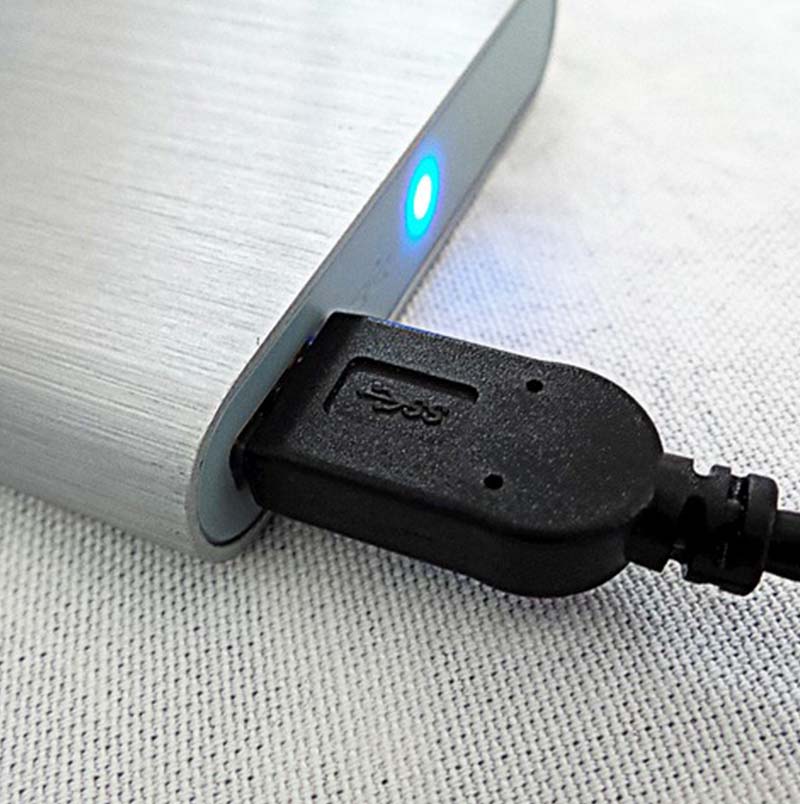
External Hard Drive Backup
Simple, flexible and cost‑effective local backup protection for small businesses and single‑device setups
External Hard Drive Backup remains one of the simplest and most affordable ways to protect important business data. By copying files, folders or entire system images to a dedicated external hard drive, your organisation can quickly recover from accidental deletion, hardware failure or corrupted files , without the cost or complexity of larger backup systems.
At AME Solutions, we help businesses configure External Hard Drive Backup as part of a secure, reliable and easy‑to‑manage backup plan. Whether you need a basic file‑level backup or a full system image stored on an external drive, we ensure your data is backed up correctly, encrypted where required, and ready to restore when you need it.
Benefits of External Hard Drive Backup
Affordable, straightforward and fast on‑site recovery for essential data
External Hard Drive Backup offers a simple and cost‑effective way for businesses to protect important files, folders and system data without the need for complex infrastructure. Because the backup sits locally on a dedicated device, data can be restored quickly after accidental deletion, hardware failure or file corruption. External drives are also portable, easy to disconnect for offline protection, and ideal as an additional layer within a wider 3‑2‑1 backup strategy. This makes them especially useful for small businesses, individual workstations or teams needing fast, straightforward backup routines.
Cost‑Effective Backup for Small Teams
External hard drives offer low‑cost storage compared to servers or cloud platforms, making them ideal for smaller businesses, single‑user devices or anyone needing a simple, local backup option.
Quick and Easy Recovery
Because backups sit locally on your drive, recovering data is fast and hassle‑free, which is perfect for restoring documents, photos, project files or even full system states.
Portable and Flexible Storage
External drives can be disconnected and moved easily, allowing you to store them safely away from your device or take them offsite for additional protection.
Can Support an Offline or Air‑Gapped Backup Layer
When disconnected after backup, an external drive becomes fully offline stopping ransomware, corruption or user mistakes from altering the stored data.

How AME Helps You Deploy External Hard Drive Backup
A complete setup service to ensure your backups are reliable, secure and easy to restore from
We help businesses implement External Hard Drive Backup correctly from the start, making sure your data is safely stored, recoverable and supported long‑term.
From determining which data should live on tape to configuring encryption, rotation schedules, offsite storage processes and restore validation, we handle every stage of the deployment. Our goal is to ensure your tape environment is reliable, compliant and ready to recover your data whenever you need it whether it’s last week’s backup or a system archived years ago.
01
Backup Planning & Drive Selection
We will advise on drive sizes, encryption options and backup types to suit your data volumes and workflow.
Setup & Configuration
Ensuring backups run correctly and securely. We configure automated or manual backup schedules, file selections and optional encryption.
02
03
Restore Testing & Support
Proving your backups work in real‑world situations. We perform test restores and guide you through retrieving files, folders or full system images.
Long‑Term Backup Maintenance
We provide advice on drive health, replacement timelines, storage best practices and adding additional backup layers.
04
External Hard Drive Backup from AME
Flexible options for different data sizes, devices and protection needs
1
Basic File‑Level External Backup - Straightforward protection for essential documents and folders
2
Full System Image Backup to External Drive - Protect your entire PC or laptop in one complete backup
3
Encrypted External Backup for Sensitive Data - Protect your backups if the drive is lost or removed
Looking for secure, compliant and cost‑effective tape‑based protection? Talk to our team of experts today about secure, reliable backup.

Why Businesses Choose AME for External Hard Drive Backup
Clear guidance, expert configuration and long‑term support from trusted South West specialists
Businesses choose AME Solutions because we make External Hard Drive Backup simple, secure and fully tailored to how your team actually works. While external drives are one of the most cost‑effective ways to protect essential files and system data, they must be set up correctly to ensure reliable restores. Many businesses unknowingly rely on external drives that are misconfigured, inconsistent or never properly tested. AME eliminates these risks by designing backup routines that are structured, automated where possible, and validated through real‑world restore checks.
We take time to understand your devices, data volumes, workflows and retention needs, allowing us to implement an External Hard Drive Backup strategy that genuinely protects your business from accidental deletion, hardware failure or corruption. And with fast, local engineer‑led support across the South West, you can rely on AME to keep your external drive backup environment healthy, secure and ready to recover when you need it most.
Ensuring your backup is correctly matched to how your business uses its data
Practical Backup Expertise Across Devices & Workflows
Our engineers understand how businesses store and access files across desktops, laptops and shared workstations. We recommend the right backup method, whether that’s file‑level backup, full system imaging or encrypted external storage, and configure it to fit your daily workflows and data‑protection needs.
A backup plan built around your real‑world risks and requirements
Tailored Setup With Reliable Backup Processes & Clear Best Practices
We tailor your backup routines to match your data size, growth, sensitivity and recovery expectations. This includes selecting the right drive capacity, configuring automatic or manual schedules, enabling encryption where needed, and establishing safe storage practices to protect the drive when not in use.
Hands‑on help whenever you need assistance recovering or updating your backups
Fast, Local Engineer‑Led Support Across the South West
Our Exeter‑based team provides responsive support across Devon, Cornwall, Somerset, Dorset and the wider South West, assisting with restore tasks, drive failures, backup errors, configuration changes and general troubleshooting. With AME, you’re supported by technicians who understand your setup and can resolve issues quickly.
Keeping your external backup dependable for the long term
Long‑Term Care, Drive Health Checks & Ongoing Backup Guidance
External drives need periodic checks and occasional replacements to remain safe and reliable. We provide ongoing advice on drive health, rotation planning, replacement cycles, supplementary backup layers and best‑practice improvements ensuring your backup remains robust as your business and data evolve.
60
%
40
%
70
%
20
TB





Signs Your Business Needs External Hard Drive Backup
Clear indicators that an external hard drive is the right backup choice
External Hard Drive Backup is ideal for many small businesses, remote workers and individual devices, but knowing whether it’s right for you can be confusing. These common scenarios help businesses quickly understand when an external drive is a strong fit for their backup strategy.
You Only Need to Protect a Single PC or a Small Number of Devices
If your business relies heavily on laptops or standalone desktops, an external hard drive provides a simple, cost‑effective way to back up important files or full system images without expensive infrastructure.
Your Internet Speeds Make Cloud Backup Too Slow or Unreliable
If uploading large amounts of data to the cloud is difficult or time‑consuming, a local external drive offers fast, direct backup performance without relying on connectivity.
You Need a Quick, Offline Copy for Everyday Issues
External hard drives are perfect for recovering files after accidental deletion, software corruption or small‑scale failures, situations where fast, local restoration matters.
You Want an Extra Layer in Your 3‑2‑1 Backup Strategy
External drives can act as the “offline” or “local secondary” copy in a 3‑2‑1 backup model, helping protect your data from ransomware, sync errors and device failure.
Our Client's Review
What clients say about us?

Having outgrown our current IT support we were looking for an established company who could cover our requirements now and through future development. AME did an amazing job of ensuring the support package designed suited our needs and their delivery of support and advice to date has been outstanding.
Sands Consultants
Our experience with AME Solutions has been exceptionally positive. From the very beginning, they took the time to understand how our business operates and have consistently delivered IT support that truly adds value. We are very pleased to recommend AME Solutions to any organisation looking for a dependable and efficient IT partner.
Thames 21

AME Solutions has been a reliable and trusted partner for our IT needs. Their team quickly understands our requirements and provides clear, effective solutions that keep our systems running smoothly. AME consistently delivers a high standard of service, and we’re pleased to recommend them as a dependable technology partner.
WRT

The Directors of The Cavanna Group are so impressed with the knowledge, ability above all dedication shown by AME Solutios. We have no hesitation in recommending AME Solutions as an IT Support Provider, and we are very happy with the service they provide.
The Cavanna Group

Working with AME Solutions has been an excellent experience from start to finish. Their team is knowledgeable, responsive, and consistently goes above and beyond to support our business. I would not hesitate to recommend AME Solutions to any organisation looking for a dependable and proactive IT partner.
Wood Medispa

The support from AME was excellent throughout. They understood exactly what was required to achieve Cyber Essentials and handled the entire process professionally. Thanks to their expertise, we achieved certification on the first submission with minimal disruption to the business.
Electrix Ltd

External Hard Drive Backup FAQs
Is an external hard drive enough on its own?
It’s great for quick restores, but best combined with cloud or offsite backups.
Can an external hard drive be encrypted?
Yes, we can configure full‑drive encryption for security.
What size external drive do I need?
We recommend 2–3× your current data size for future growth.
Is this suitable for small businesses?
Yes, it’s affordable, flexible and easy to manage.
Should I disconnect the drive after backup?
Yes, unplugging it creates an “offline” or air‑gapped copy.
Speak to our specialists for straightforward, secure and reliable backup advice.
Ready to Protect Your Data With External Hard Drive Backup?
Office Location
2nd Floor Wear House, Topsham Road,
Exeter, Devon. EX2 7AE.
Phone
01392 824022
info@amesolutions.co.uk